ORIGIN STORY

This mini-project began when I started to explore how a library might facilitate the creation of an inclusive and accessible study environment through its provision of equipment, assistive technology, and user services.I was interested not only in what types of resources were on offer, but also how this offer could be communicated in a thoughtful way.I started to do a little bit of research and soon discovered that the information most readily available was via academic libraries/university websites. Initially I surveyed a few websites and collected some data in a rather ad hoc fashion. However, this felt very scattergun, with a real risk of me just selecting sites that I liked, and which 'did' accessibility information the way I thought it should be done.A more structured approach and a larger sample was obviously needed for this to be of any real use to me.
SCOPE OF STUDY
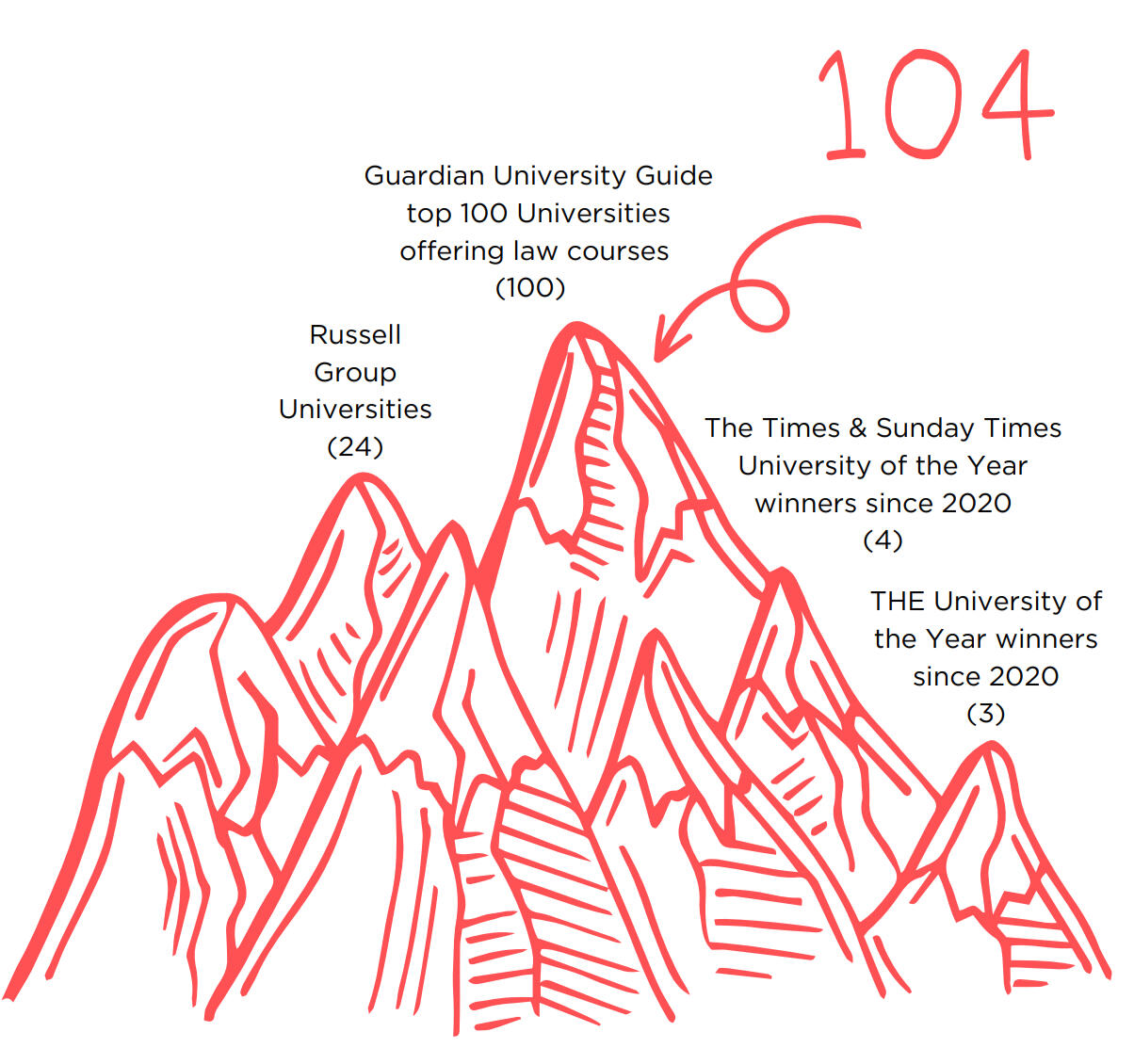
I settled on the following criteria:I wanted universities that law students (and potential law students) would be looking at. Only because my library experience is in law and this seemed like a no-brainer.I picked the Guardian University Guide as a source, filtering by subject (law) and selected the top 100 universities for my sample.I also included all Russell Group Universities (24) and lastly, I added the winners of both the Times & Sunday Times University of the Year award since 2020 (4) and the winners of the Times Higher Education (THE) University of the Year award since 2020 (3).There was naturally some overlap, with some universities falling into multiple catagories. I ended up with a total of 104 university websites.
THE WHY

I was interested in finding out a few things.I wanted a good overview of the equipment, assistive technology and library services that a wide range of university libraries have selected as being relevant/useful.I wanted to see how libraries and/or the university communicated this accessibility information on their websites, e.g. what headings they chose to signpost users to these pages, and how much detail is given.
A BRIEF PAUSE ...
To explain some terms and my own personal use of them.When I say 'accessibility information' I don't mean website accessibility statements (although these are very important too!). I mean all the things that the university library provides in order to ensure users with disabilities, neurodifferences, and differing learning/studying styles can use the library and/or access materials in a way that suits them.Although I did look at page headings, my research did not go beyond this to consider the use of language within the context of a social model of disability.
DISCLAIMER BIT

I did not ask universities to complete a survey. This is my own research and these are just my observations.Things to bear in mind:- I only had access to publicly available sections of university websites. Any information behind intranets/sharepoints was invisible to me (as it would be to a prospective student).- although my searches were thorough, it is possible I have missed some information, so this survey should not be deemed exhaustive in any sense of the word!
ACCESS TO PHYSICAL SPACE
Access to the physical space (the library building and more generally the university's campus or campuses) is not easy to evaluate, and impossible to do so remotely.This type of access information can range from very simple to very detailed campus guides.Given the difficulties in gauging this, I have used the presence of an AccessAble guide(s) as a gold standard when it comes to detailing the accessibility of the physical space(s).
ACCESSABLE GUIDES
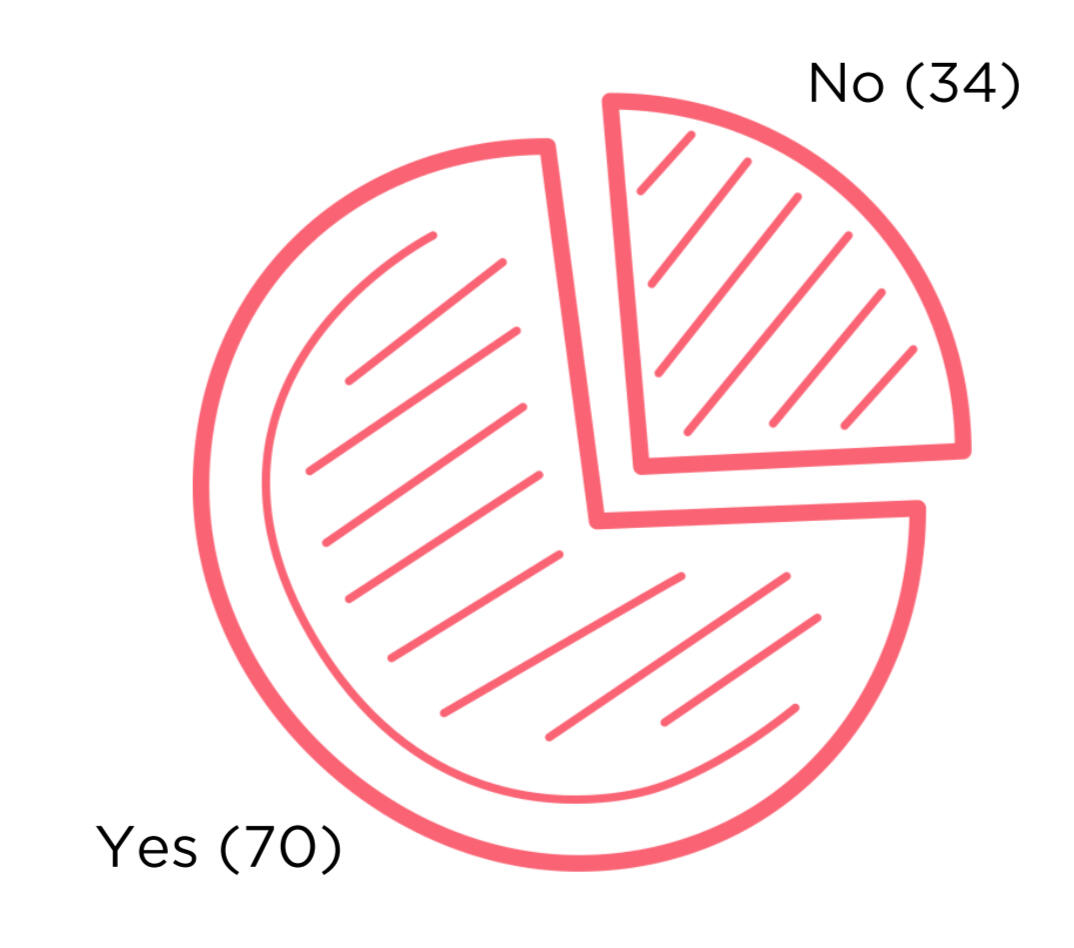
67% of my sample had AccessAble guides.Of those that did not (34), there were a couple of outliers where the university had created its own detailed guides to its physical spaces.AccessAble: https://www.accessable.co.uk/
HEADINGS
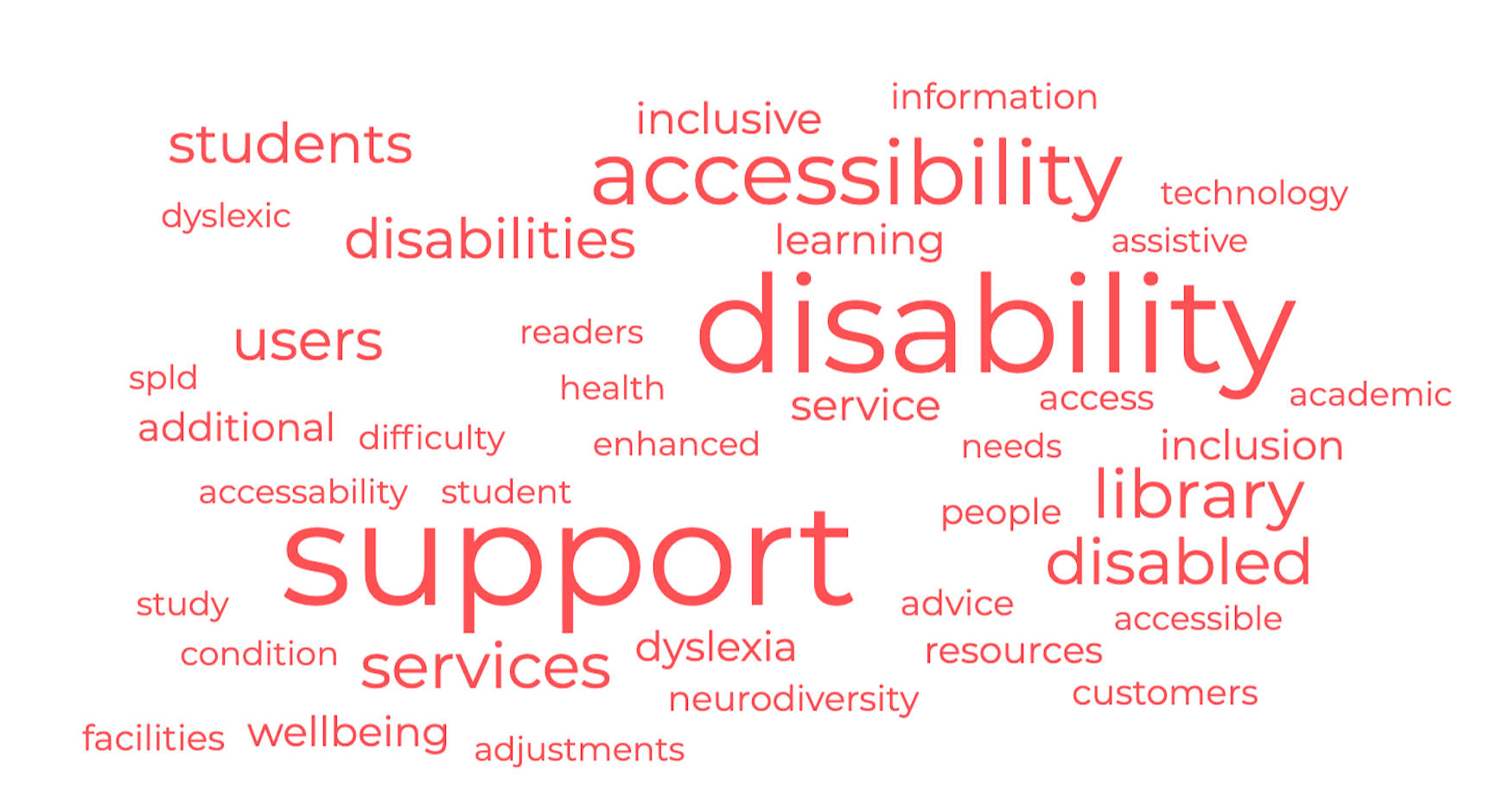
I was very interested in what we call information relating to access and accessibility, so the headings of the relevant library pages and other sections of the university websites were noted.The frequency of the different words used are as follows:support (57); disability (52); accessibility (29); library (18); services (16); disabled (16); users (13); students (12); disabilities (12); service (6); inclusive (6); inclusion (5); wellbeing (5); learning (5); dyslexia (5); additional (4); resources (3); facilities (2); advice (2); customers (2); access (2); neurodiversity (2); information (2); people (2); accessability (1); adjustments (1); accessible (1); assistive (1); technology (1); needs (1); academic (1); difficulty (1); spld (1); dyslexic (1); readers (1); enhanced (1); health (1); condition (1); student (1); study (1)Again, a disclaimer - these were the pages I used to obtain my information and can not be considered an exhaustive list.
The following is a list of unique page titles (i.e. those that appeared only once in the sample I looked at) :
AccessAbility
Accessibility & Adjustments
Accessibility & Wellbeing
Accessibility in the Library
Accessibility Services
Accessibility Support Service
Accessible Library Services & Facilities
Advice for Students with Disabilities
Customers with Disabilities
Disabilities or Additional Needs
Disability & Academic Support
Disability & Access
Disability & Dyslexia Service
Disability & Inclusion
Disability & Inclusive Support
Disability & Learning Difficulty Support
Disability & Neurodiversity
Disability & Neurodiversity Support
Disability & SpLD
Disability & Wellbeing
Disability & Wellbeing Service
Disability Access & Support
Disability Additional Support
Disability Advice
Disability Inclusion
Disability Learning Support
Disability Support for Students
Disabled & Dyslexic Users
Disabled Customers
Disabled Readers
Library Services for Users with a Disability
Library Support for Disabled Students
Library Support for Disabled Users
Library Support for Students with a Disability or Health Condition
Library Wellbeing
Resources & Facilities
Resources & Services for Disabled Students
Services for Disabled Users
Services for Students with Disabilities
Student Disability & Wellbeing
Study Support
Support for Disabled People
Support Services
Users with Disabilities
Disabled Students
Enhanced Library Support
Inclusion & Disability
Inclusive Learning
Inclusive Library Services
Inclusive Library Support
Inclusive Resources
Inclusive Support Services
Information for Students with Disabilities
Information Services & Disabled Users
Library Accessibility
Library Disability Support
Library Services for Disabled Students
Library Services for Disabled Users
Library Services for People with Disabilities
Library Services for Students with Disabilities
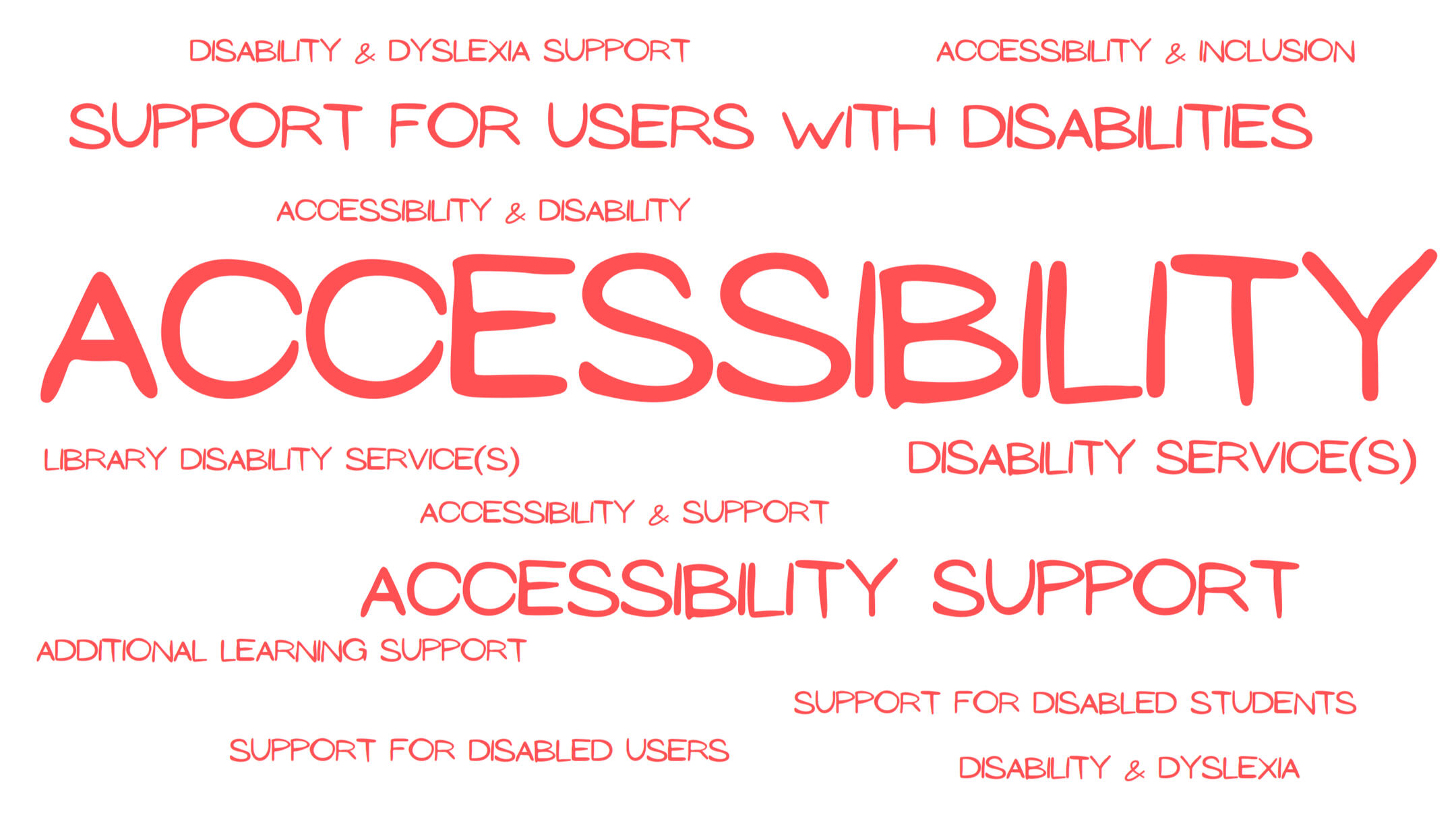
Page titles appearing with a frequency > 1:Accessibility (13); Accessibility Support (5); Support for Users with Disabilities (4); Disability Service(s) (3); Accessibility & Disability (2); Accessibility & Inclusion (2); Accessibility & Support (2); Additional Learning Support (2); Disability & Dyslexia (2); Disability & Dyslexia Support (2); Library Disability Service(s) (2); Support for Disabled Students (2); Support for Disabled Users (2)
The most frequently occurring page title was Disability Support (19).
METHOD & MAIN AREAS OF FOCUS
I started off looking at the library pages of university websites, navigating away to other sections (e.g. IT department pages, student hubs etc). where necessary. I focused on gathering data in 3 main areas:

1. Equipment
2. Assistive Technology
3. Library Services
EQUIPMENT
I have used the term ‘equipment’ to mean physical objects, so everything from computer hardware and peripherals to height adjustable desks and coloured/tinted copier paper.This is a category where there seemed to be (potentially) different views on what was considered important or useful enough to mention.I would speculate that peripheries like headphones or large screen monitors might be assumed to be 'as standard' and so were not included in information on equipment and facilities.This obviously leads to some less than useful figures (e.g. low figures for large/touchscreen monitors), but it does tell a story about what we think users need to know and what we think can be left as an unknown or an assumption.
EQUIPMENT
Height-adjustable desks - 59%
Magnifiers (desktop & portable) - 43%
Induction Loops - 38%
Dictation/reading devices (e.g. Livescribe and reading pens) - 28%
Keyboards (large text/ergonomic/high contrast) - 27%
Coloured overlays & reading rulers - 27%
Mice (ergonomic/vertical/trackball) - 26%
Coloured/tinted paper - 22%
Ergonomic/specialist chairs/foot rests - 23%
Book rests/laptop stands/writing slopes - 14%
Lamps/adjustable lighting - 12%
Lockers - 12%
Headphones/noise cancelling - 11%
Document holders - 10%
Braille embossers/printers - 11%
Monitors (large/touch screen) - 9%
I restricted my list to 16 categories of equipment. These comprise the most frequently found items, other equipment such as whiteboards and pointing devices were mentioned on some university sites, although in negligible numbers.Some of my categories are composites, for example:- All ergonomic/specialist chairs, back supports and footrests have been grouped together into one category.- Devices for moving a cursor have been grouped - so mice (ergonomic and vertical), trackballs and track pads have been grouped together.- Magnifiers include larger stationary or desktop machines and smaller portables.- Keyboards include ergonomic, large text/keys and high contrast.
ASSISTIVE TECHNOLOGY

I am using the term ‘assistive technology’ to encompass all software solutions (pre-installed, downloadable and web based) either purchased by the university or freely available.Many accessibility pages also flag built-in assistive technology and accessibility features of operating systems (Windows, Mac OS), devices (iPhone, Android), browsers, and commonly used programmes/software (e.g. MS Office applications, Google Docs).Other freely available assistive tech such web apps, free/freemium downloadable software (e.g. NVDA), browser extensions and other useful sites are also signposted by many universities.AbilityNet’s My Computer My Way also features prominently. As it should because it is excellent.My Computer My Way: https://mcmw.abilitynet.org.uk/
ASSISTIVE TECHNOLOGY
Reading and writing
Read & Write - 61%
ClaroRead - 32%
Dragon - 30%
JAWS - 29%
ZoomText - 26%
Supernova - 15%
Glean - 14%
Blackboard Ally/Anthology Ally - 13%
NVDA - 12%
Grammarly - 11%
Kurzweil 1000 - 5 %
Open Dyslexic - 4%
Ginger - 4%
built-in features
MS Office - 45%
Windows - 27%
Mac iOS - 21%
Chrome browser - 19%
Google (Docs etc) - 14%
Apple (devices) - 13%
Android (devices) - 6%
mind mapping
MindView - 35%
Inspiration - 31%
MindGenius - 15%
Other mind mapping software - 13%
LIBRARY SERVICES

My focus was limited to services provided by the library, so I have not considered other services and facilities available relating to university study, e.g. accommodation, reasonable adjustments, or DSA funding.Full disclosure - I am a librarian :D and my interest is obviously in what libraries can and should be doing in this area. As such there was a lot of additional information I did not include.
LIBRARY SERVICES
Book retrieval - 75%
Alternative formats on request - 60%
Study rooms - 52%
Tailored inductions - 51%
Extended loans - 45%
Assistance with copying/scanning - 33%
Proxy/nominated individual - 32%
Postal loans - 25%
Some notes on categories:- Alternative formats on request - this includes mentions of the library's/librarian's ability to obtain alternative formats if asked.Separate to this, are specific mentions of RNIB Bookshare and SensusAccess - both of which are mechanisms/services providing alternative formats. RNIB Bookshare - 35%; SensusAccess - 34%- Study rooms - here I have included any bookable space (assistive tech rooms, quiet rooms, private carrells)
MY OWN CONCLUSIONS

level of detail
The level of detail given varied from site to site. This ranged from a long lists of software and equipment available, to the much more vague 'contact us' approach.While it would be unhelpful to think every person's requirements or preferences can be seconded-guessed (they can't), the more detail given the better. Should we put the burden on the user to ask? My view is we shouldn't.More detail shows a thoughtfulness about library services and facilities and how they might better serve our users.
placement
Accessibility information is often found in lots of different places.A single hub of information relating to access can be useful in providing a one-stop shop, but without adequate integration into other relevant sections, this can give the impression of siloing.For example, having to navigate away from library pages to a section on 'disability support' to find out if you can get access to Read & Write doesn't feel as inclusive as it might if this information was included within the standard offer from the library and detailed on its own pages.

Hidden
Some sites have a good proportion of their information on assistive technology etc. on intranets/portals only visible to current students and staff. While it is easy to understand the thinking behind this, it does leave a bit of a question mark over what is being provided.If one function of the university website is to serve as a prospectus, should these facilities be more prominent? I vote yes.
& A SAD NOTE TO END ON ...

One very disheartening thing I discovered when looking at these sites was the lack of library presence on the university's homepage.Only 7% of my sample prominently featured the library on the homepage. My definition of 'prominent' here means any mention of the library that is visible without navigating away from the homepage or scrolling down to the footer.A massive 46% had no library presence on the homepage. In order to find the library you needed to search or drill down through menus.23% of sites included the library in a hidden menu, by this I mean a menu that expands when you hover over it or click on it, without navigating away from the homepage.17% of sites had a link to the library in the footer only.And 7% had a combination of hidden menu plus footer.
THANK YOU FOR READING
Researched and compiled by Sally Mclaren.
Any views expressed are my own.
Links
Anthology Ally - https://www.anthology.com/discover/ally
ClaroRead - https://www.texthelp.com/en-gb/solutions/dsa/claroread/
Dragon - https://shop.nuance.co.uk/store/nuanceeu/en_GB/Content/pbPage.home
Ginger - https://www.gingersoftware.com/
Glean - https://glean.co/
Grammarly - https://www.grammarly.com/
JAWS - https://www.freedomscientific.com/products/software/jaws/
Kurzweil 1000 - https://www.kurzweiledu.com/products/kurzweil-1000-v14-windows.html
Inspiration - https://www.inspiration-at.com/
MindGenius - https://www.mindgenius.com/
MindView - https://www.matchware.com/mind-mapping-software
NVDA - https://www.nvaccess.org/
OpenDyslexic - https://opendyslexic.org/
Read & Write - https://www.texthelp.com/en-gb/products/read-and-write-education/
RNIB Bookshare - https://www.rnibbookshare.org/cms/
SensusAccess - https://www.sensusaccess.com/
Supernova - https://yourdolphin.com/SuperNova
ZoomText - https://www.freedomscientific.com/products/software/zoomtext/
Text